The problem is not AI. The problem is assigning the wrong responsibility.
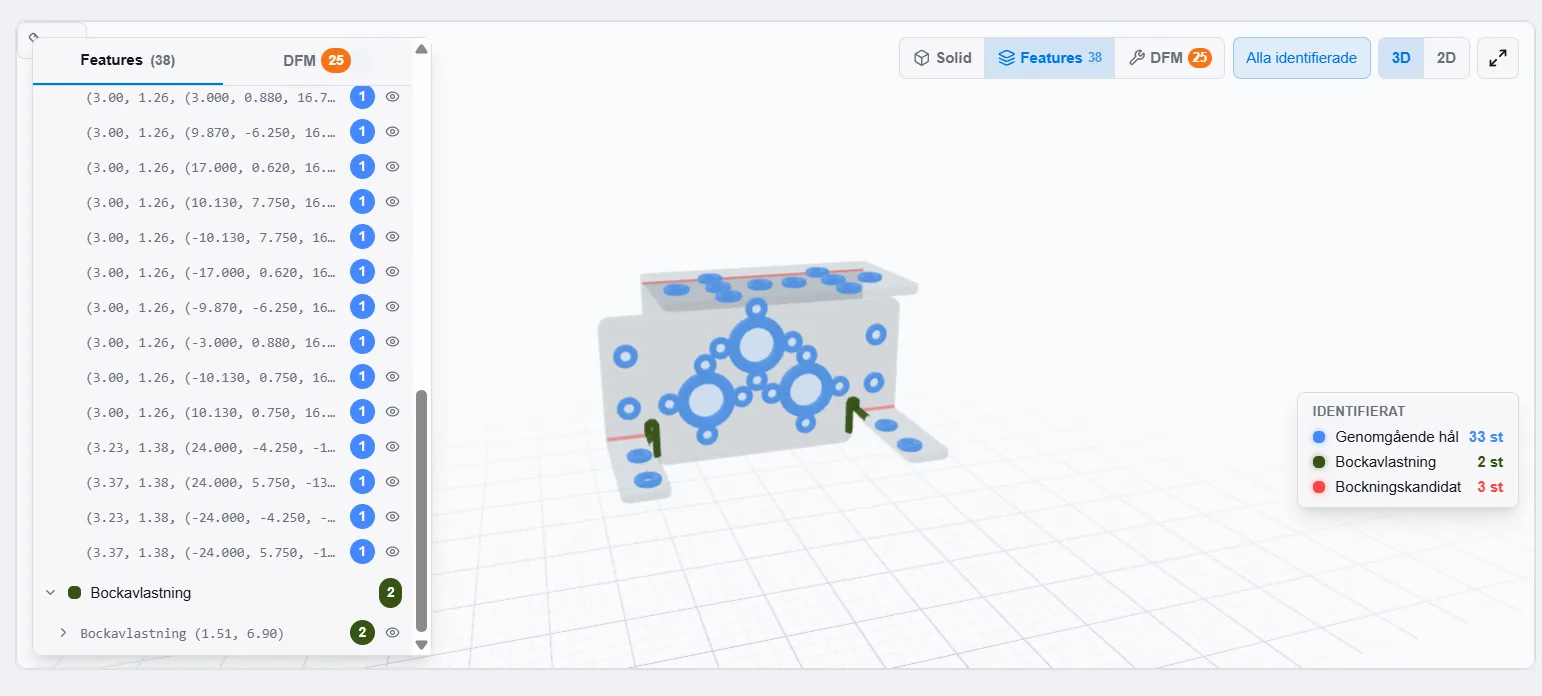
Quoting in sheet metal shops contains two very different types of information. One is linguistic and uncertain: emails, filenames, requested delivery dates and incomplete customer requirements. The other is geometric and production-critical: contours, holes, bends, surfaces, cut length, unfolding, DFM risks and operation drivers.
AI is best suited to the first part. It can structure an RFQ email, suggest follow-up questions and make the material easier to review. But when the system measures geometry, the result must be reproducible. The same file should produce the same measurement, and the estimator should be able to inspect what the system found.
The practical principle is simple: AI can structure the quote request. Deterministic CAD analysis measures the geometry. The estimator approves the calculation.
Where the boundary should be in a modern quote flow
A good quoting system does not automate everything. It shows who or what is responsible for each piece of information. That is especially important when the workflow combines AI suggestions, CAD analysis, rule-based costing and manual adjustments.
| Flow step | AI should do | CAD analysis should do | Human should approve |
|---|---|---|---|
| RFQ and email | Structures body text, filenames and customer requests into suggestions for material, quantity, deadline and missing questions. | No geometry is measured in this step. | Decides whether the suggestions match the customer's material and what must be completed. |
| CAD geometry | Should not invent dimensions, contours or features. | Measures solids, components, bounding box, holes, slots, cutouts, bends, weld indications and other geometric features. | Checks revision, model quality and whether the CAD file matches the part being quoted. |
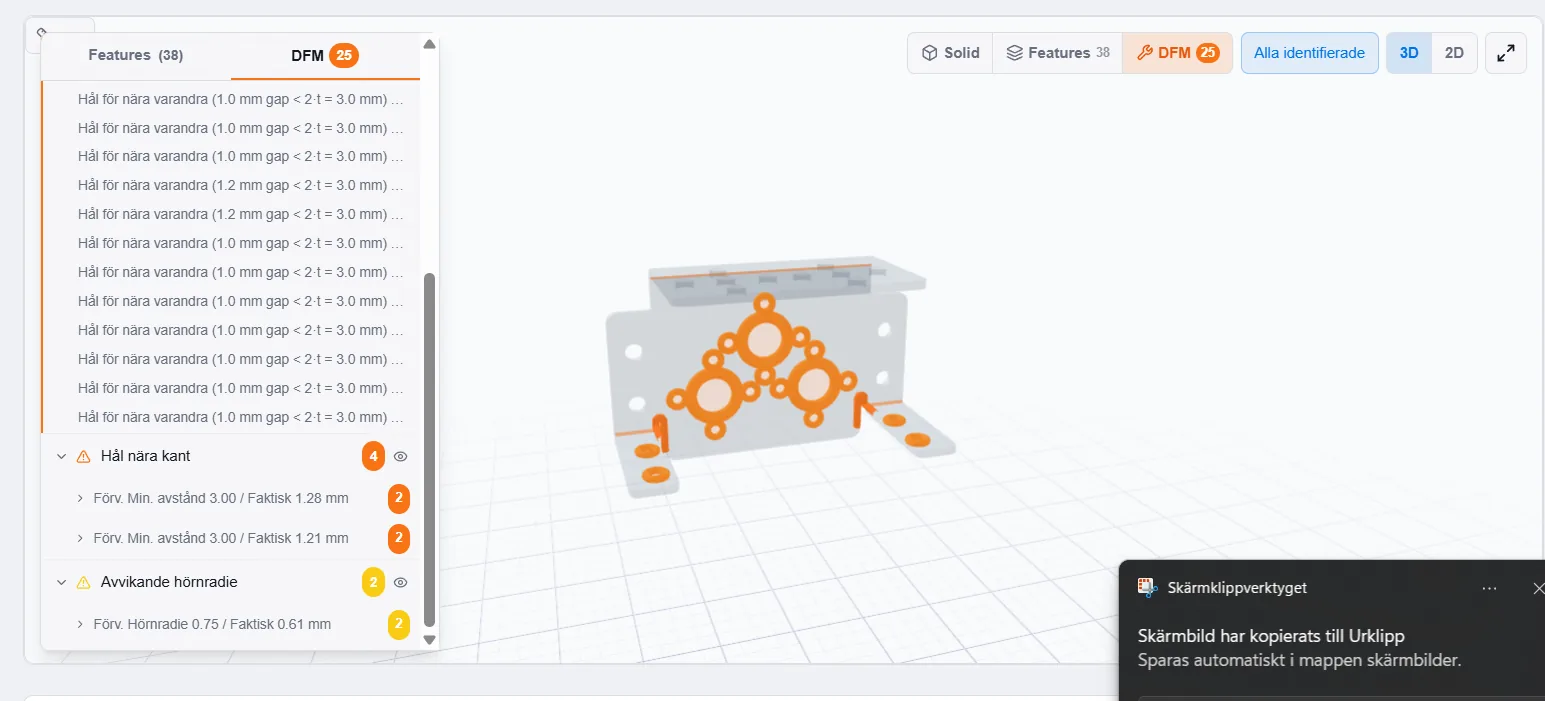
| DFM and risks | Can help formulate follow-up questions from detected risks. | Flags measurable risks such as holes near bends, small radii, short flanges, incorrect bend reliefs and formed features near bends. | Assesses risks against material, tooling, machine, tolerance and customer requirements. |
| Costing | Can summarise what the calculation is based on and suggest review points. | Provides cost drivers such as cut length, pierces, bends, inner contours, area and operation indicators. | Approves process, machine profile, material price, setup time, margin and manual adjustments. |
| Quote and customer dialogue | Can help write clearer replies and list assumptions. | Provides a traceable technical basis for cost lines. | Owns the decision to send, change or stop the quote. |
The table scrolls sideways on mobile.
What AI can do without creating a black box
In the RFQ flow, AI can reduce friction. It can read request text, identify what the customer appears to need, suggest missing fields and draft questions for the customer. That helps sales quickly understand whether the request is complete or whether estimating must be involved.
The suggestions still need to stay suggestions. If an email implies material or quantity, that value should be approved, changed or left blank. If a PDF or drawing note contains a requirement the system has not verified, it should not be treated as safe production data. Read more about how RFQ automation should support the path from request to quote. Read more about RFQ automation.
What CAD analysis must own
Geometry requires another logic. A STEP file contains topological 3D geometry that can be analysed for solids, components, dimensions, surfaces, volume, holes, cutouts, bends and other features. For sheet metal parts, the system can also create flat-pattern input, bend lines and measurable DFM warnings when the part can be analysed.
This part must be traceable. If the calculation charges for cut length, pierces, bending, welding or finishing, the estimator should be able to see what in the model drove the cost. That is the core of CAD analysis and traceable pricing. CAD analysis and traceable pricing.
Why the estimator still needs the final word
A CAD file does not always show material grade, quantity, tolerances, finish, weld method, throat size, quality level or delivery requirements. DXF often lacks reliable thickness. In a STEP file, a feature can be missing if it only exists as text, a cosmetic CAD mark or a drawing note. In assemblies, contact pairs can indicate welds, but they do not replace requirements for method or quality.
The goal is therefore not to remove the estimator. The goal is to give the estimator better decision support faster. The system calculates and shows where the information came from. The estimator reviews, corrects and approves.
Checklist: requirements for AI in sheet metal quoting systems
Use these questions when evaluating a system that promises AI-based quoting automation. Ask to see the answer in a real file and a real calculation view.
- Can the system show whether a value comes from CAD, a rule engine, an AI suggestion or a manual change?
- Can the same CAD file be analysed reproducibly without AI changing the geometry?
- Are measured value, threshold and 3D position visible behind each DFM warning?
- Can the estimator approve or correct uncertain assumptions before the quote is sent?
- Is there clear traceability from RFQ to cost line, PDF and customer link?
- Is AI limited to structuring, summarising and question suggestions where it does not need to invent dimensions?
- Can the company calibrate rules to its own machines, materials, capabilities and margin requirements?
How Glintify uses this boundary
In Glintify, the CAD file is the technical basis for geometry analysis, 3D/2D review, DFM and costing. AI is used where language and structure are the problem: for example, turning a quote request into material that is easier to review. Pricing logic is then built on measurable cost drivers, company rules and manual decisions where needed.
That lets sales move faster without estimating losing control. When something is uncertain, it should appear as a review flag, a follow-up question or a manual adjustment. Not as a hidden assumption.
Test the boundary with a historical RFQ
Bring an email, a STEP file and a previous quote. We show what AI can structure, what CAD analysis can measure and which decisions should remain with the estimator.
Book a walkthroughFrequently asked questions
Can AI price sheet metal parts automatically?
AI can help structure the request and explain the calculation, but price should be based on measurable CAD geometry, material data, machine profiles, process rules, quantity, margin and estimator approval. Otherwise the calculation becomes difficult to trace and defend.
Why should AI not guess geometry?
Geometry is production-critical data. If the system guesses dimensions, holes, bends or welds, the error can affect price, delivery promises or manufacturing decisions. Deterministic CAD analysis is better for measurement because the result can be reproduced and reviewed.
What can AI safely do in an RFQ flow?
AI can read body text and filenames, suggest structured fields, identify missing information and draft follow-up questions. PDF drawings, CAD geometry and binding manufacturing requirements need clear boundaries and human review.
What is the difference between feature detection and AI?
Feature detection in Geometry Viewer is geometric analysis of the CAD model. It measures and classifies holes, cutouts, bends and weld indications. AI works with language and information structure. The two should be kept separate in the calculation.
Is the estimator still needed if the system analyses the CAD file?
Yes. The system can create input faster, but the estimator must approve material, process, machine choice, tolerances, finish, weld requirements, uncertain DFM cases and manual adjustments before the quote is sent.